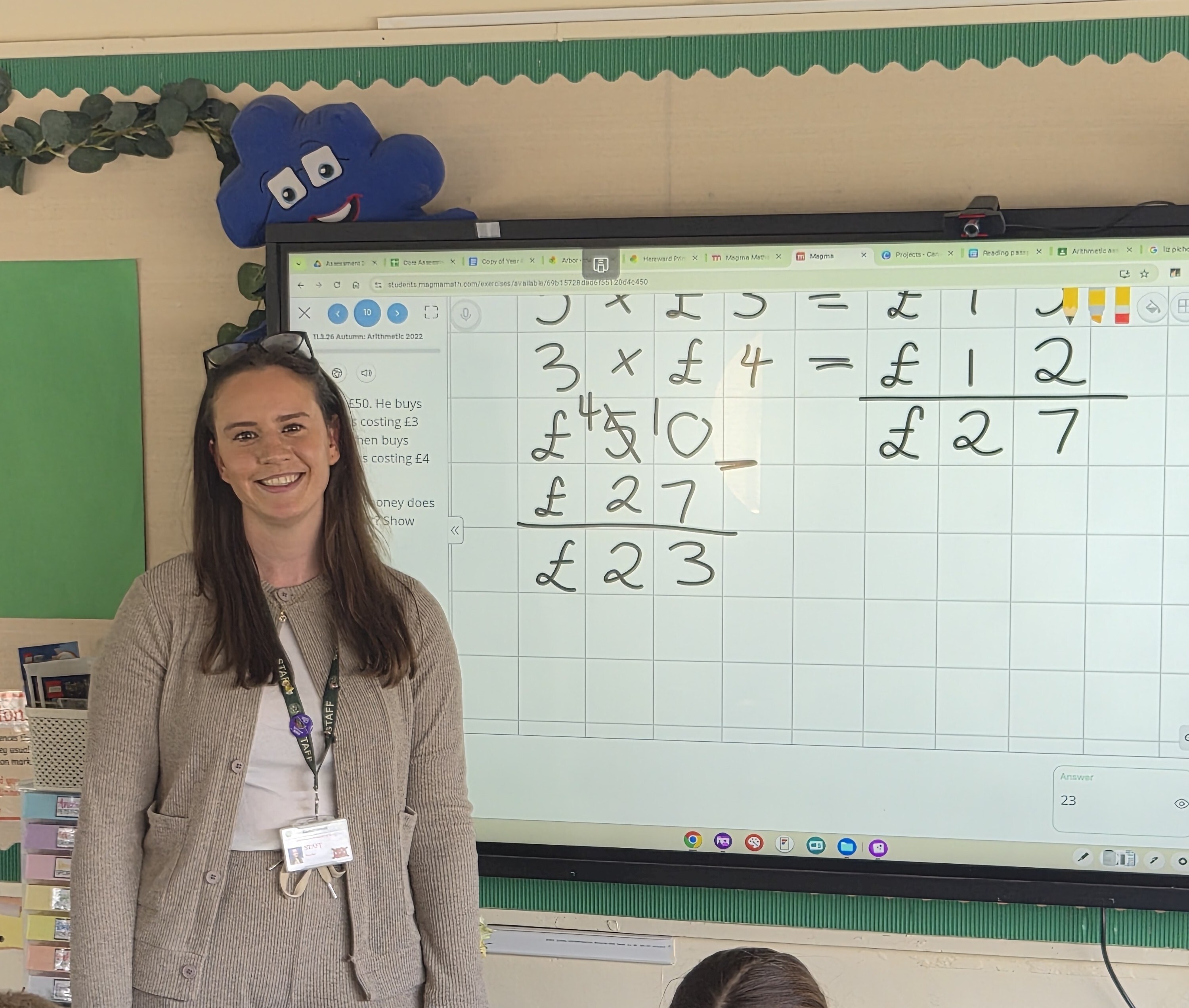

Maths is in a really different place now
Rachel Orwell · Year 4 Teacher & Science Lead · Hereward Primary School · Epping Forest Schools Partnership Trust
Rachel has been teaching at Hereward Primary for seven years. She teaches a single Year 4 class of 30 children, and about a year ago, she started using Magma Maths. What happened next changed how she teaches - and how her pupils experience maths entirely.
Before Magma, Rachel's maths lessons followed a familiar pattern. The school used White Rose Maths, and lessons would end with children working through a printed worksheet while she floated around for support. Marking happened at the end of the day - or whenever there was time. "I was kind of just there floating," she recalls, "and then would mark their work at the end of the day, to be honest."
Today, the structure is the same - White Rose still provides the lesson input - but everything around it has shifted. Worksheets are gone. Instead, Rachel builds tasks directly in Magma, tailored to the different groups in her class. Some children get a mix of current and previous learning, others focus on building understanding from the ground up. And rather than floating with nothing but her eyes, Rachel moves around the room with her tablet open, watching a live heatmap of every child's work in real time.
"Instead of finding misconceptions at the end of the day when they've gone home when I'm marking books, I can address them straight away."
The heatmap was the first feature Rachel fell in love with. Being able to see how many attempts a child has made, watch their working out live, or replay where a mistake crept in - it transformed how quickly she could respond. But as she's grown more confident with the platform, she's gone deeper. She now regularly uses the coverage and completion data to track gaps across her class, using it to set catch-up tasks, inform homework, or spin up a targeted group for a specific skill. "It's not going to be a burden on me to do that," she says. "I can just really quickly do it."
One of her current favourites is the anonymous showcase feature - something she discovered while teaching division. She hides pupil names, hides the correct answers, and then puts real examples of children's working out on the board. The class looks at them together, unpicks where the mistake was made, and thinks through how to correct it. "They don't feel self-conscious about getting it wrong," Rachel explains. "It's like a class workshop." And crucially, it holds up a mirror to her own teaching too. "Sometimes I'll look back and think — they've all done this one step wrong. So I clearly haven't gone over that enough." Seeing the patterns in her pupils' errors helps her adjust, not just in that moment, but for the lessons that follow.
"It helps me to become a better teacher in myself, really."
Her pupils have taken to Magma with an enthusiasm that hasn't faded. These are children in their second year using it - and the novelty, Rachel notes, usually wears off with technology. Not here. "They don't even call it maths anymore," she laughs. "They just say - what time are we doing Magma?" Their favourite feature is the live activity feed, which Rachel keeps running on the interactive board throughout the lesson. When a child earns a good calculation, it shoots up the board. When the class hits 10%, 25%, 50% - the music plays, everyone cheers, and they push each other on. "It's almost like they're on a class mission," she says. "It's teamwork."
For teachers thinking about making changes to how maths practice works in their classroom, Rachel's advice is simple: start with the heatmap. Have your tablet or laptop open while you're helping pupils, and just watch. The insight it gives you - about where your class is, where individual children are stuck, and where your own teaching might need refining - is unlike anything a marked worksheet can offer. The rest, she suggests, will follow naturally.
Ready to bring Rachel's approach into your own classroom? Here's how to get started:
🗺 Explore the tool - Discover how the heatmap can help you instantly see where your students are - and where they need you most → Read the guide
🎮 Level up your lessons - Turn your classroom into a calculation party - learn how to use live activities to get every student engaged in real time → Read the guide
📚 Keep learning - Haven't signed up for our upcoming webinars yet? There's still time - grab your spot (and your colleagues') in just a few clicks → Register now
🏆 Teacher of the Month - Know an amazing teacher who deserves a spotlight? Nominate yourself or a colleague - we'd love to celebrate them next! → Nominate here
.png)